kini eSIM is now available. You can :
- Order and activate a new eSIM
- Convert your existing kini physical SIM to eSIM
- Transfer an eSIM between devices
- Replace an eSIM (for lost or broken devices)
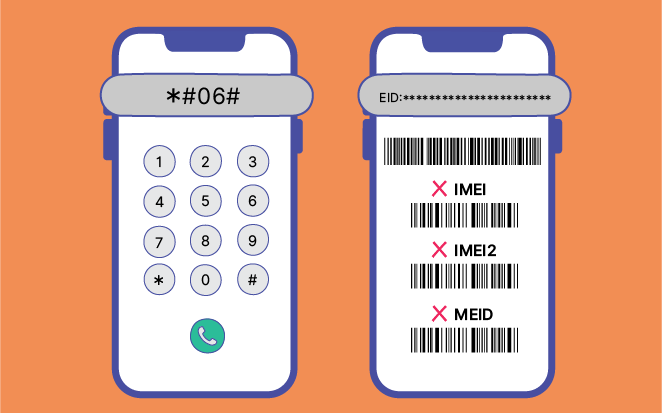
Check if your device supports eSIM
- Open your phone dialer and enter *#06#
- If you see an EID number, your device supports eSIM
- If no EID is shown, your device may not support eSIM. Please visit "Plans" and select Physical SIM instead.
Setting up a kini eSIM
Before you start:
- Connect to a Wi-Fi network
- Open the eSIM activation email
- Each eSIM/QR code can only be installed once. After installation, it cannot be transferred to another device or reinstalled if removed.
- The eSIM can only be activated within Canada. If you are currently outside Canada, you may complete the installation in advance ; once you arrived, simply turn on the eSIM 🔛 to start using the service.
A. New eSIM Activation
For iPhone
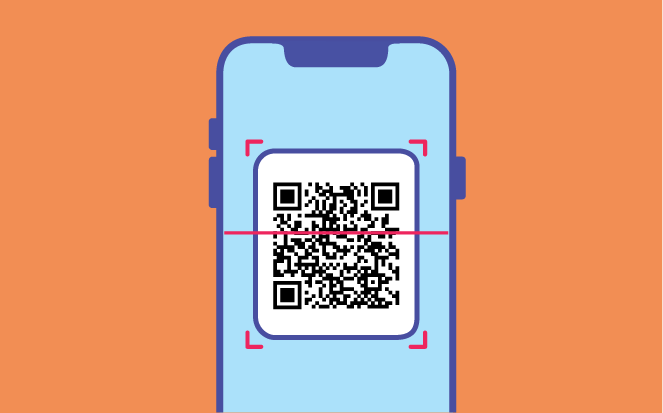
- Click the activation link (iOS 17.4 or above) or scan the QR code from the email using your device camera
- Follow the on-screen steps to complete activation
For Android / HarmonyOS (steps may vary by brand)
- Take a screenshot of the QR code from the email
- Go to Settings → Network & Internet → SIMs→ Add eSIM
- Select “Use QR Code”, then scan the QR code or import it from your photos
- Follow the on-screen steps to complete activation
B. Port-in Your Existing Phone Number to kini eSIM
After your kini eSIM is installed and active:
- Keep your existing SIM (physical or eSIM) and number active until porting completes
- Do NOT delete any eSIM from your device
- Turn kini eSIM ON as the current line
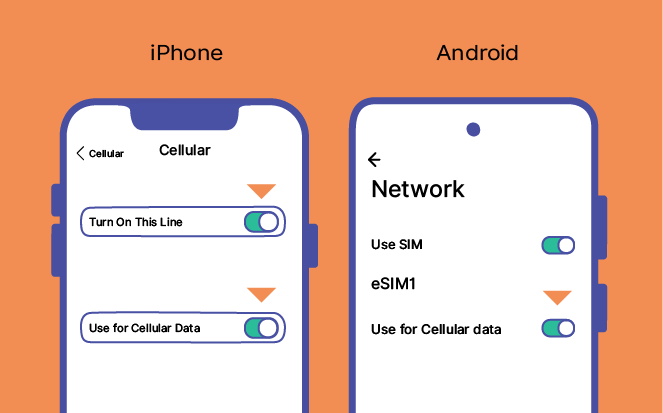
(Tips: For dual eSIM devices, you can set one as the “primary” SIM and the other for “Work / Personal”.)
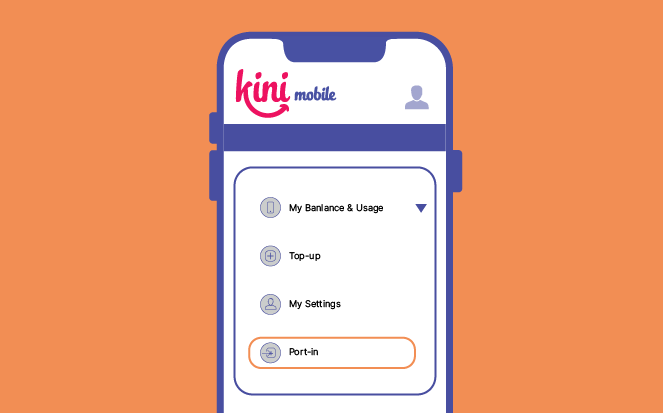
- Submit your port-in request: Log into “My kini” → “Port-in” → follow instructions
- Switch back to your original SIM as active
- Your current provider may send a port-out authorization SMS (If required) → Reply “YES”
- Turn kini eSIM ON again
- Once port-in succeeds, you’ll receive a confirmation SMS and your number will be fully active with kini
Click here to watch port-in demo video
Need Support for eSIM Services?
Please call 1888 to reach our Customer Service team and validate your SIM ownership, for assistance with:
- Converting your kini physical SIM to eSIM
- Transferring an eSIM to another mobile device
- Replacing an eSIM (lost or broken device)
 Back
Back